Salesflare: A Game-Changer for SaaS Sales Teams
What is Salesflare? Salesflare is a lightweight, automated CRM built for busy B2B sales teams — especially small to mid-sized SaaS companies that want t...
What is Salesflare?
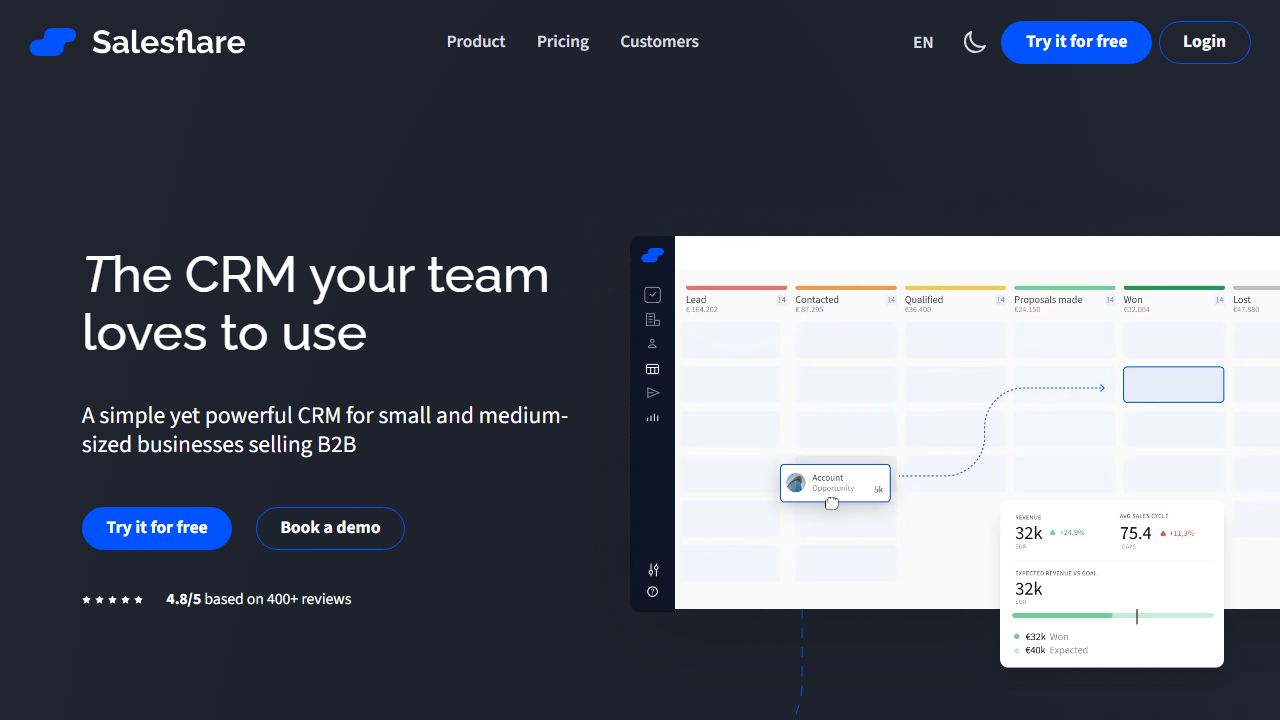
Salesflare is a lightweight, automated CRM built for busy B2B sales teams — especially small to mid-sized SaaS companies that want to spend less time on data entry and more time selling. It automatically captures contact and company data from your inbox, calendar, and social signals, surfaces relationship insights, and provides a simple pipeline and activity timeline to run deals. We use it as an example of a “set-it-and-forget-it” sales CRM that emphasizes automation over manual upkeep. See the official site at https://salesflare.com for full product details.
Key Features and Capabilities
We’ll focus on the features most likely to impact day-to-day SalesOps and revenue teams:
- Automatic Contact & Company Enrichment
- Salesflare pulls profile data from email signatures, public social profiles, and company registries, then fills contact fields automatically. Practically, this means inbound leads that used to require 5–10 minutes of lookups arrive in the CRM with phone, LinkedIn, company size and domain already populated.
- Email Syncing and Tracking (Smart Inbox)
- It syncs bidirectionally with Gmail or Office 365 so every email thread becomes an activity on the right contact or deal. Read receipts and link/open tracking let reps prioritize active conversations. We’ve found the Smart Inbox reduces lost threads when multiple reps engage the same account.
- Pipeline & Deal Management
- Salesflare provides a visual pipeline with customizable stages, drag-and-drop deal movement, and per-deal activity checklists. Use this for straightforward forecasting and to enforce a uniform sales process without heavy configuration.
- Automations & Activity Reminders
- You can set automations that create follow-up tasks, assign leads, or send notifications when triggers occur (e.g., no contact in X days). In practice, teams use these to enforce cadence and avoid slipping deals.
- Integrations and Workflows
- Native integrations include Gmail/Outlook, calendar sync, LinkedIn enrichment, Slack notifications, and Zapier for extending to tools like HubSpot, Mailchimp, or custom apps. This lets you keep Salesflare as the lightweight CRM hub while connecting to marketing and analytics systems.
These features combine to reduce administrative load: reps log fewer manual activities, managers get cleaner pipelines, and marketing-to-sales handoffs are smoother.
Getting Started
Here’s a step-by-step onboarding path we recommend:
- Sign up for the free trial at https://salesflare.com and invite your core sales team.
- Connect your primary email account (Gmail or Office 365) and calendar — this enables automatic activity capture immediately.
- Import existing leads and companies via CSV or connect any source (Zapier or native integrations) to start pushing inbound leads into Salesflare.
- Configure your pipeline stages to reflect your sales process (Discovery → Qualified → Proposal → Closed Won/Lost). Use default deals to create task templates for each stage.
- Enable contact enrichment and set rules for how duplicates are handled. Train reps to use the Smart Inbox and log notes in the activity timeline.
- Add integrations: Slack for deal alerts, Zapier for marketing feed-ins, and a live calendar link for meeting scheduling.
- Create 3–5 email templates and turn on tracking; set automations for reminders when a lead is inactive for X days.
This sequence gets a small team fully functional in a day and operationally effective in a week.
Real-World Use Cases
- SDR Outbound Cadence: SDRs use Salesflare to auto-enrich leads, send tracked template emails, and get notified when prospects open links or revisit pages. This helps prioritize warm prospects for callbacks.
- Early-Stage SaaS Sales Stack: A two- to five-rep revenue team benefits from quick setup, automatic data capture from email/calendar, and simple pipeline reporting — without hiring a CRM admin.
- Customer Success & Renewal Management: CS teams use the relationship timeline and automated reminders to manage renewal touchpoints and log onboarding milestones to reduce churn.
Each scenario highlights Salesflare’s strength: minimal maintenance, high signal-to-noise in activity data, and fast time-to-value.
Pros and Cons
Advantages:
- Strong automatic data capture reduces manual entry and improves data quality.
- Tight Gmail/Outlook and calendar integration makes it natural for teams that live in email.
- Lightweight UX — fast onboarding without needing a CRM administrator.
- Useful automations and activity reminders that enforce follow-up.
Limitations:
- Less customizable than enterprise CRMs (limited custom objects and complex workflow capability).
- Reporting and enterprise permissions are not as advanced as what you get from high-end systems.
- Marketplace and native integrations are smaller than the ecosystems around larger CRMs.
How It Compares to Alternatives
Salesflare sits between very simple CRMs and enterprise platforms. Compared to HubSpot, Salesflare is lighter and cheaper for pure outbound sales teams, but HubSpot wins on marketing automation and a larger app marketplace. Versus Salesforce, Salesflare trades deep customization and scale for simplicity and speed. If you prefer a pipeline-first UX similar to Salesflare, Pipedrive is a close alternative; Pipedrive has a robust marketplace but less automated enrichment. For teams embedded in Google Workspace, Copper offers tight G Suite integration; for inside sales teams focused on calling and sequences, Close provides built-in dialing and deeper sequence controls. We recommend evaluating based on integration needs and expected growth in process complexity.
Pricing and Value
Salesflare offers tiered, per-user pricing with higher tiers unlocking advanced automation, more integrations, and priority support. There’s typically a free trial to evaluate fit. For small SaaS teams, the value is high: you get measurable time savings from automation and cleaner pipelines without the overhead of a full-featured enterprise CRM.
Final Verdict
We recommend Salesflare for small-to-midsize SaaS sales teams and startups that want an easy-to-maintain CRM which dramatically reduces manual data entry and keeps sales activity visible. If you need deep enterprise customization, extensive marketing automation, or advanced reporting at scale, consider a larger platform. For teams prioritizing speed, inbox-driven workflows, and minimal admin, Salesflare is a solid, pragmatic choice — start exploring at https://salesflare.com.